
Photograph your plate, see your carbs.
openplate is an open-source calorie counter and food diary for your phone and computer. Choose the way that suits you.
Use the app
Just track what you eat
Log your meals, or take a photo of your plate to get an estimate of its carbs. It runs in your web browser, with nothing to install, and we run the server for you.
10 free AI scans or 14 days, whichever comes first, no card needed. Then €5.00 a month or €40.00 a year.
The diary is encrypted on your device before upload. We run the server, so we hold the backup key for password resets. That backup key lets us read your diary.
Run it yourself
Run your own copy
Running it yourself means openplate runs on your own computer or server instead of ours, at no charge. openplate is open source software: the code is public, so anyone can read and check it.
Photo scans can run without the cloud. openplate-inference runs open-weight AI models on your own hardware, with or without a graphics card. The photos never leave your network.
On your own copy, that backup key is yours.
The film is in German.
These screens show example data, not a real diary.
Why openplate exists
Most food trackers keep your diary on their servers, where you cannot control it. openplate keeps it on your device first. The source code is public, so anyone can inspect it. Our hosted app also keeps an encrypted copy on our servers, and our backup key can read it. On your own copy, every service is optional, sync and photo scanning included, and you can host each part yourself.
No app store in between
openplate is a web app (a PWA) that you install from the browser, on a phone or a computer. There is no app store. Nobody needs an Apple or Google account, and no store review or store fee stands between a release and your device. An institution that hosts openplate serves it from its own domain, and an update reaches every device the next time the app opens.
What openplate is
Everything a user owns (food logs, weights, personal foods, goals, the AI settings) is written to the browser's IndexedDB on the device it was entered on (app/lib/local-store/). It is stored in the clear there, because it is your device, and it never leaves it except in two forms you choose: a JSON export you download, or an encrypted sync blob.
The app server is a single stateless container. No database, no ORM, no migrations, and no secret it needs in order to boot. It can hold exactly one optional secret, the operator's key for the food database, described below. Destroying the container loses nothing. That is not thrift, it is the whole promise: see ADR-0006.
What you can do with openplate
These screens show example data, not a real diary.
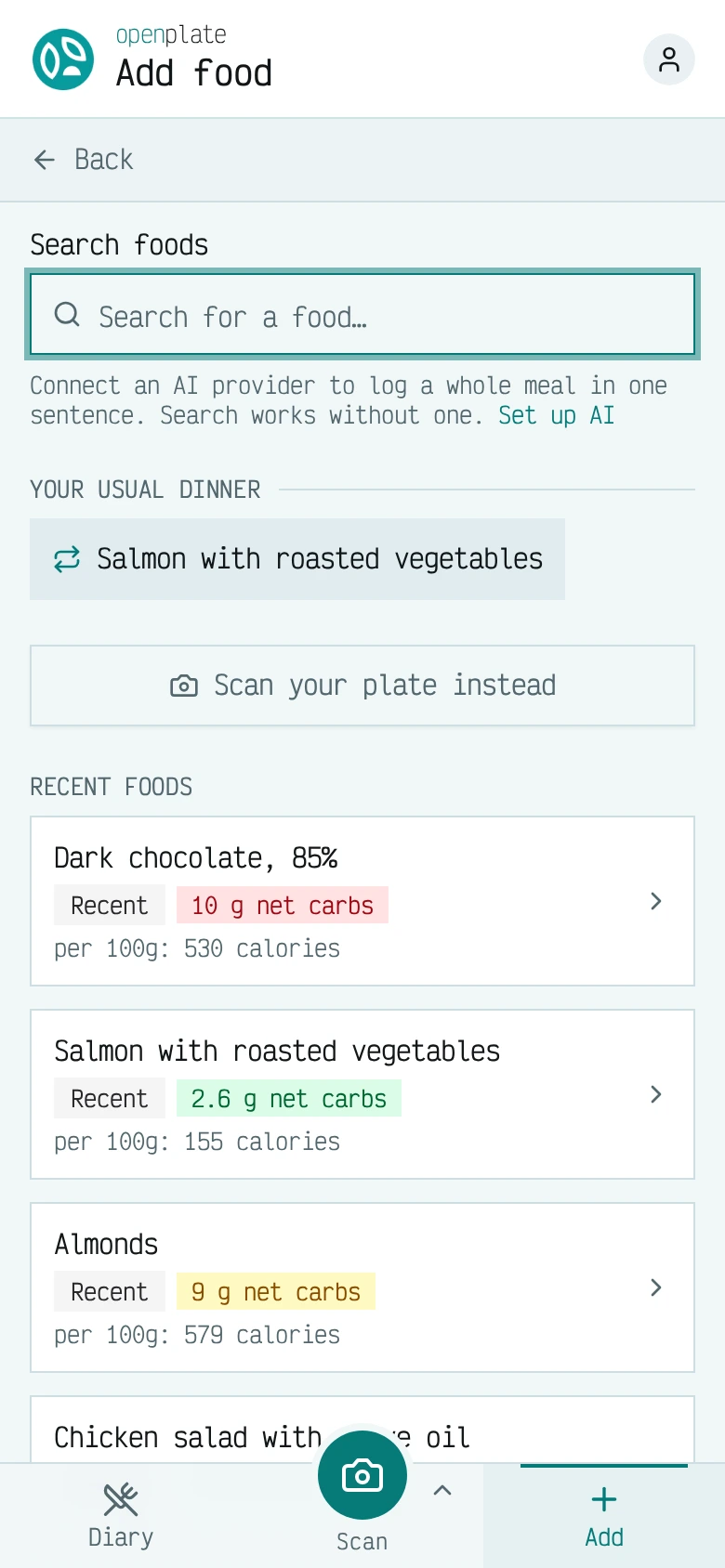
Log a food
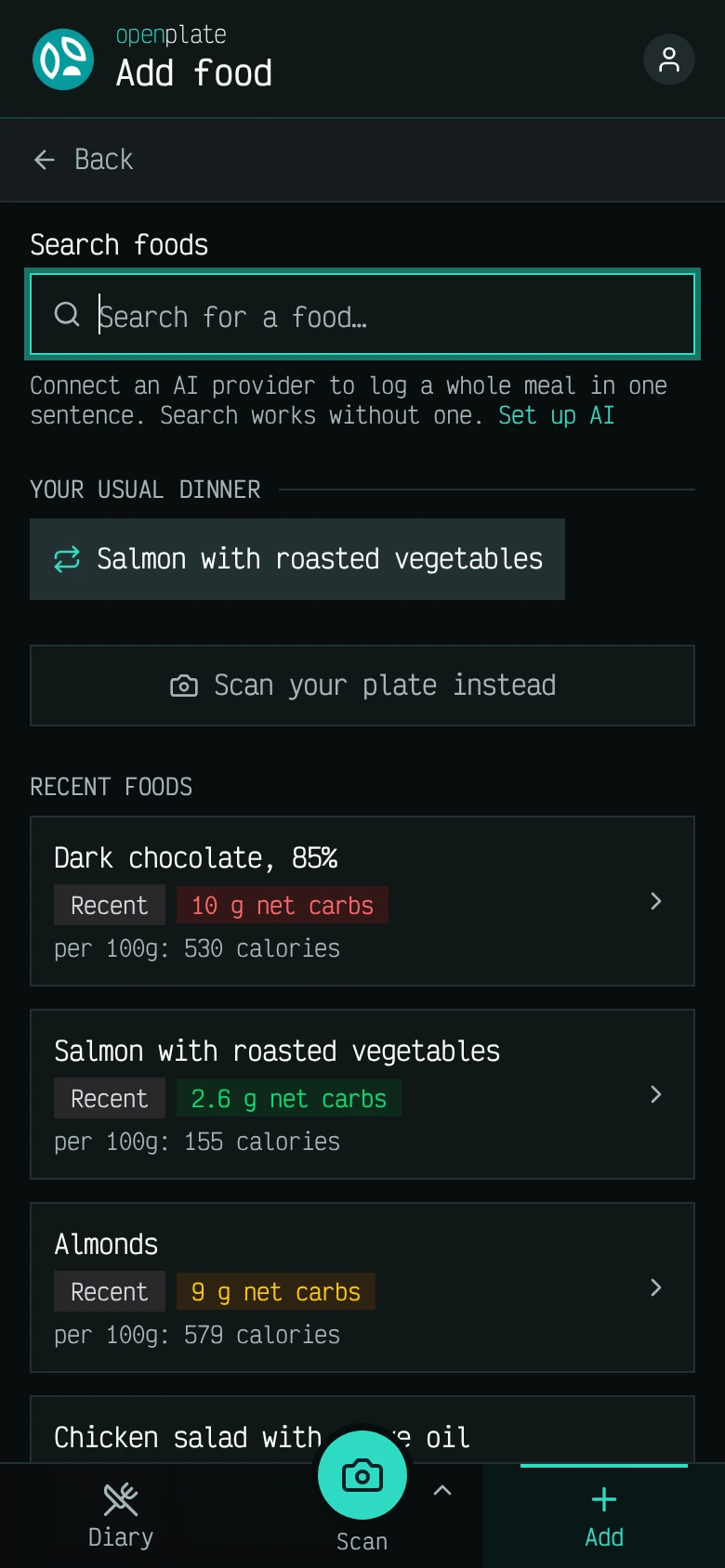
Search the food database, or pick something you logged before, and the entry lands in the day under the meal you chose.
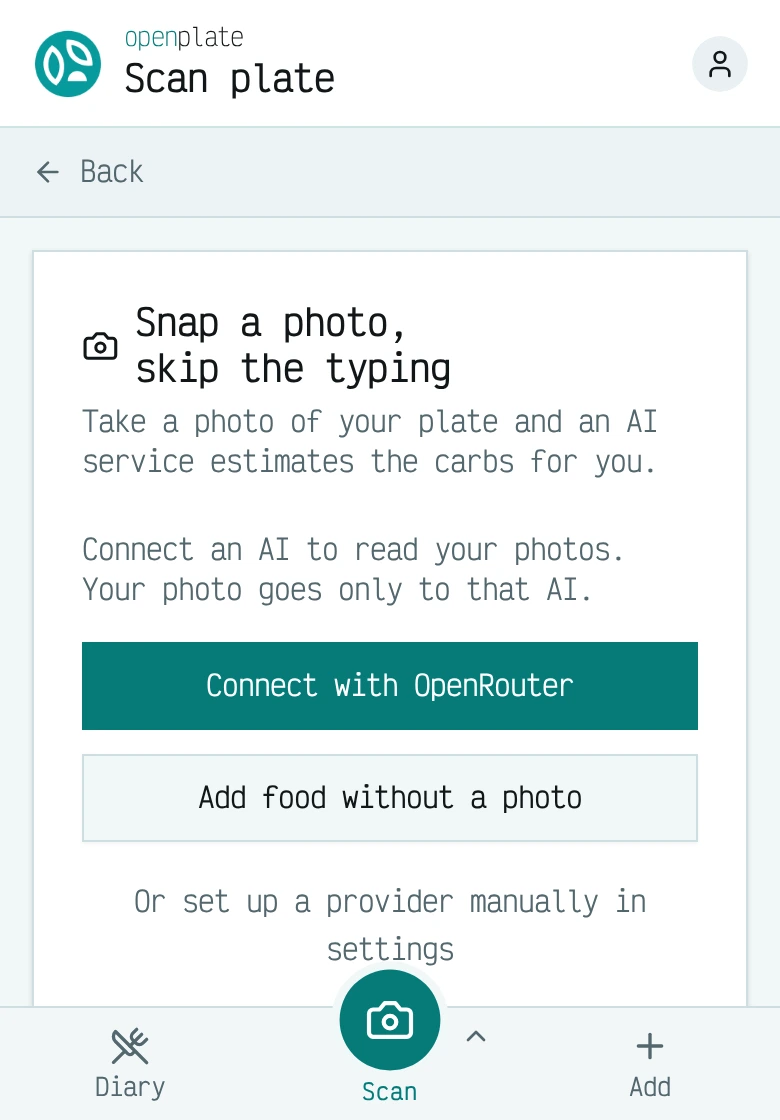
Scan a plate
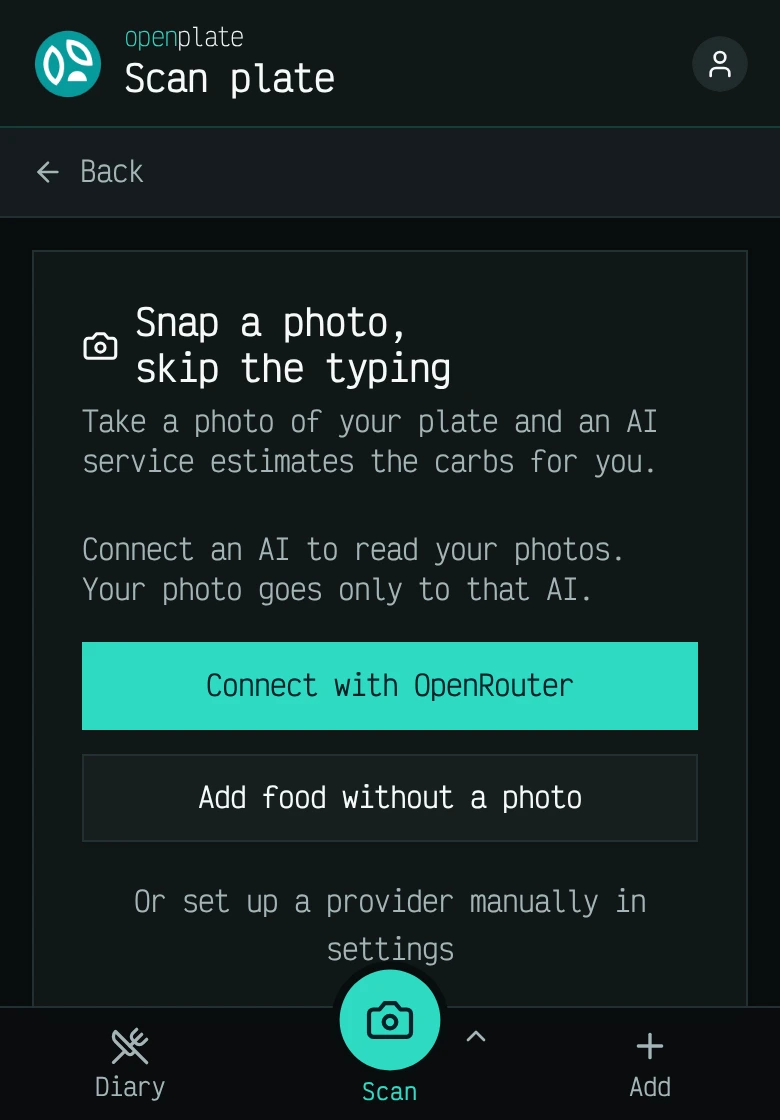
Photograph your plate and an AI model estimates the carbs. On the hosted app, our server passes the photo to the AI provider and does not keep it. On your own copy, it goes only to the AI service you connect.
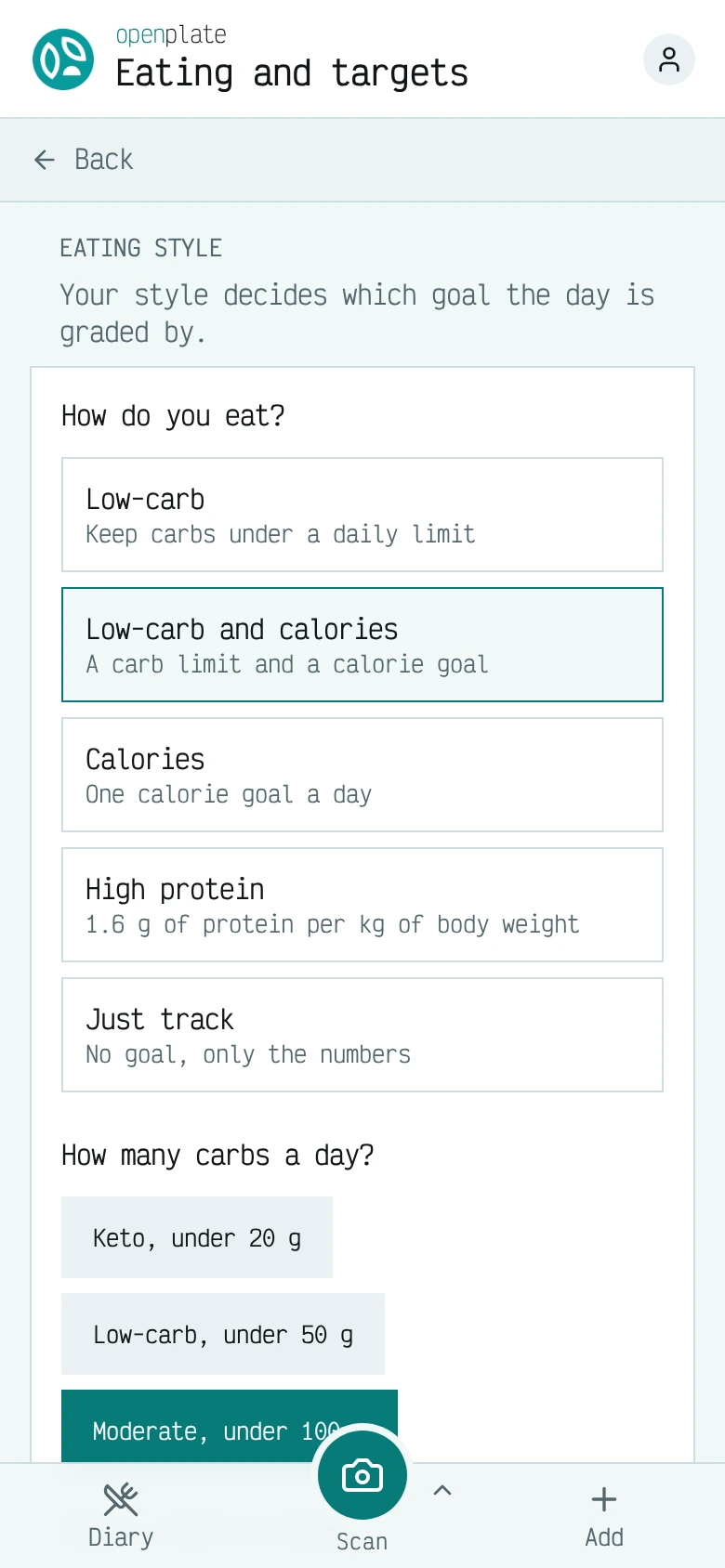
Choose how you eat
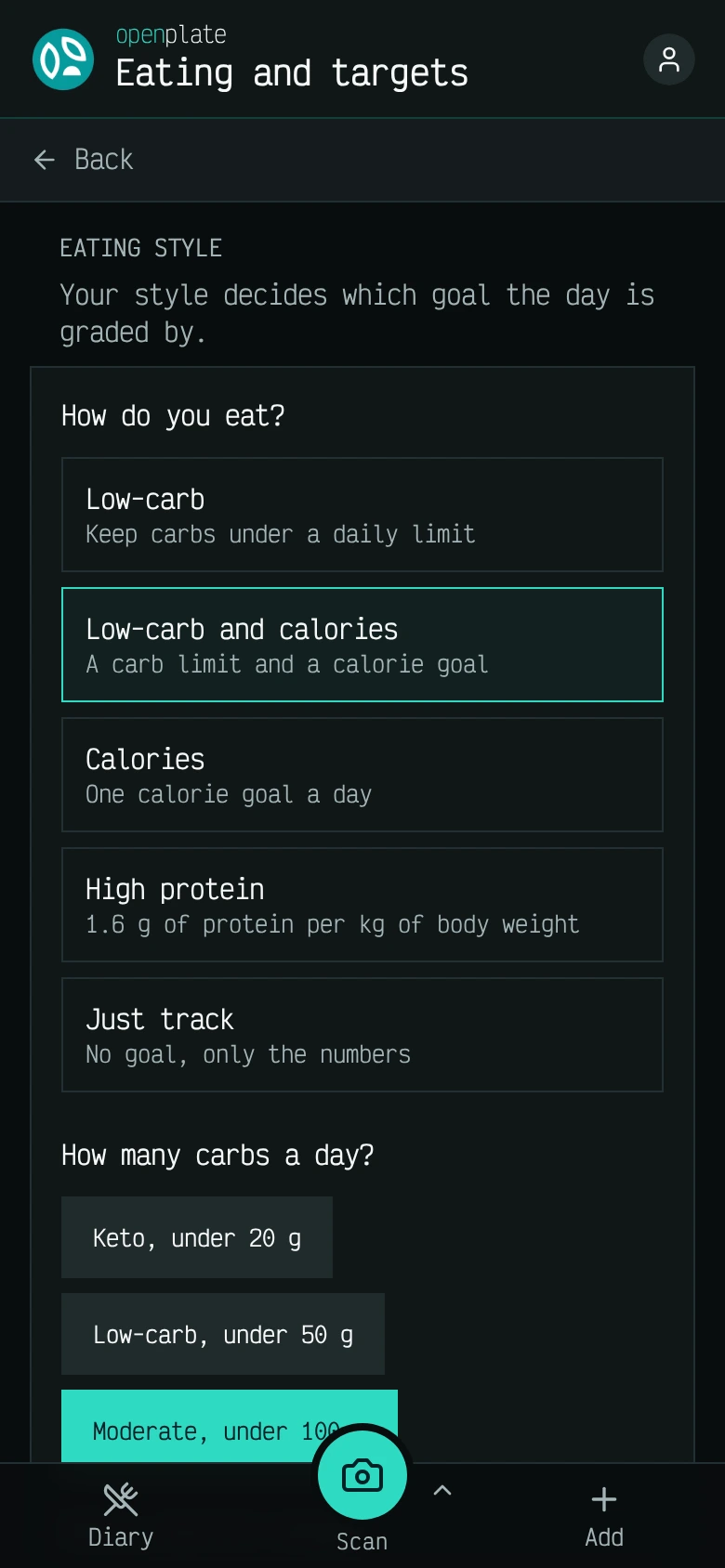
Low-carb, calories, high protein, or simple tracking. The style you pick sets which goal grades the day, and every goal is optional.
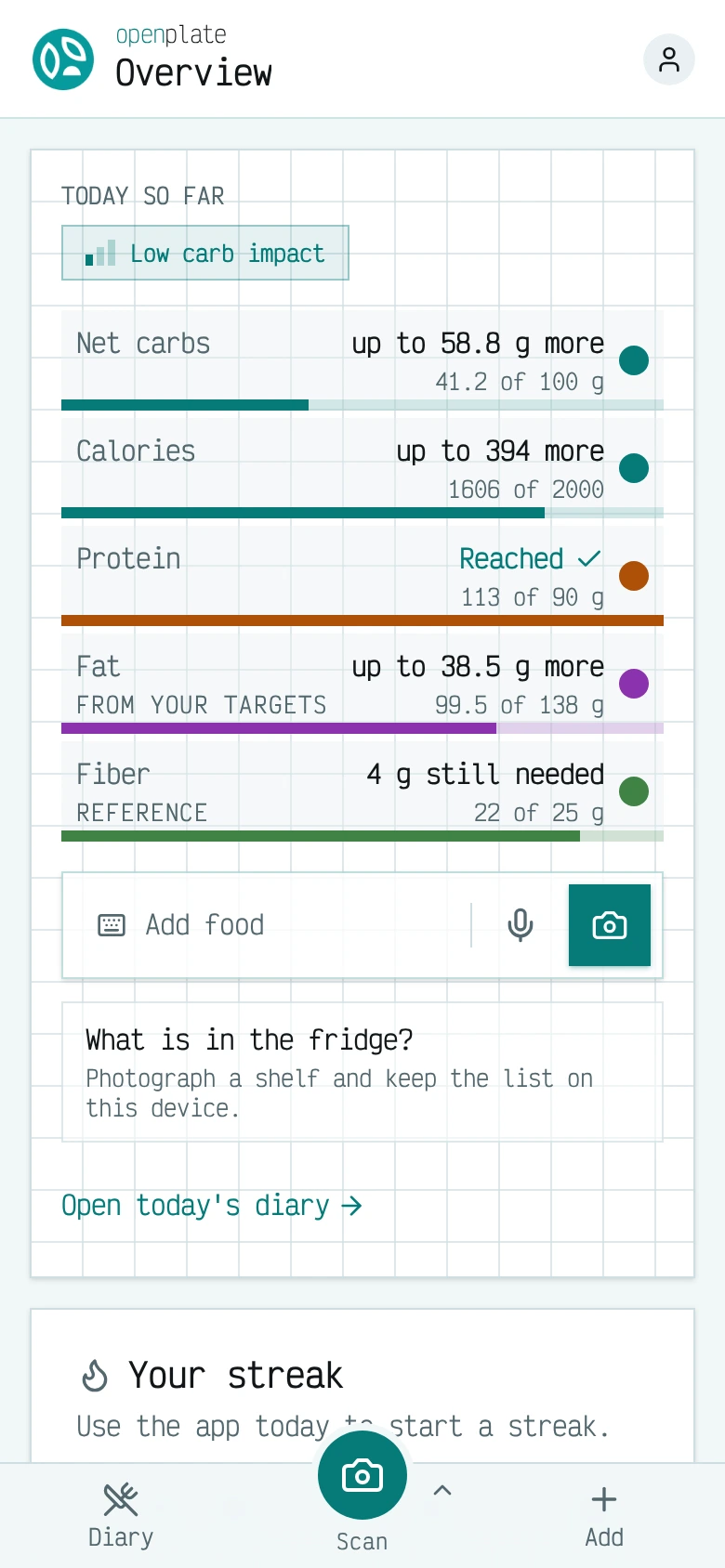
See where the day stands
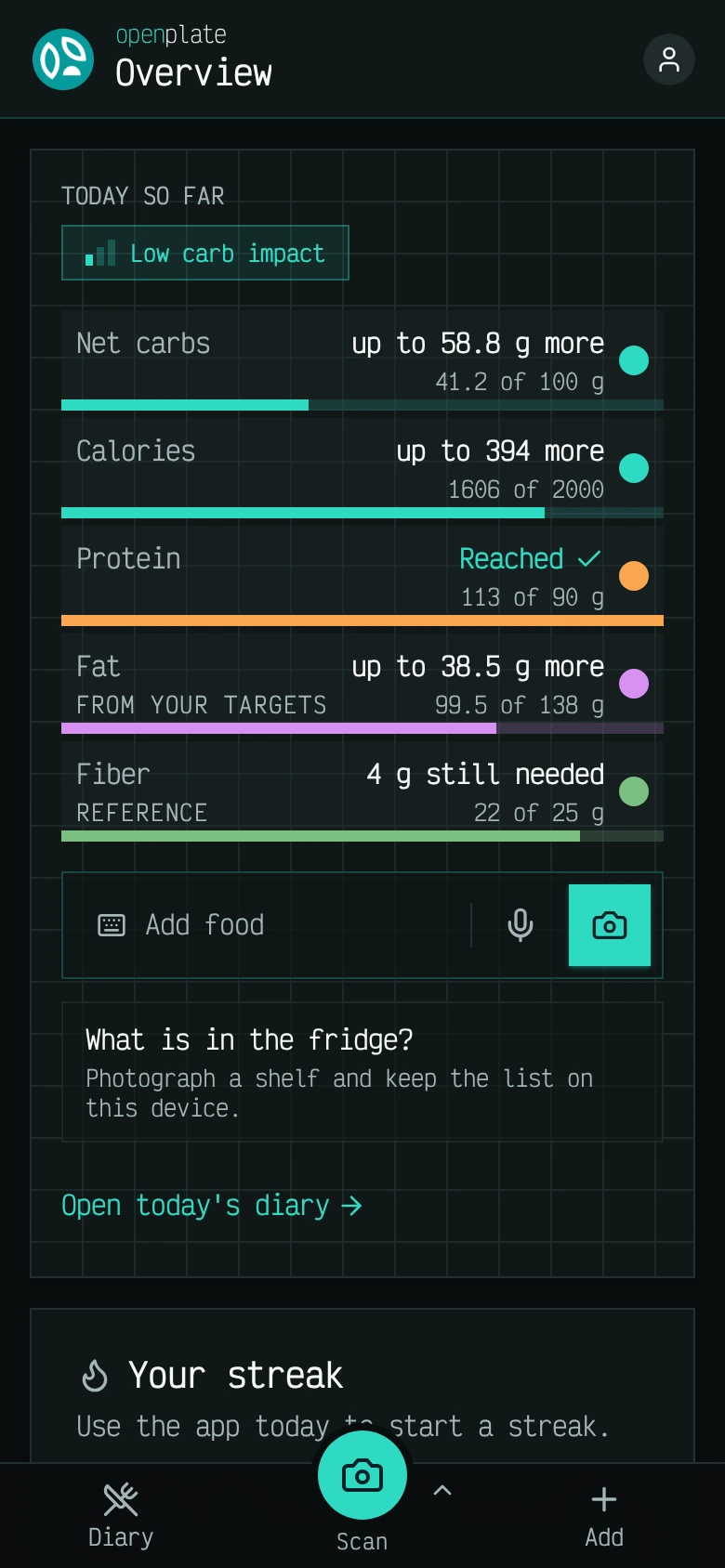
Net carbs, calories, protein, fat, and fiber for the day, each shown against its target, and how many of the last seven days you logged.
Where your data goes
Three programs, one product and two optional attachments, plus one outside service that answers food names. This page explains what each one holds, and which one stands in the path of your data.
The drawing below is the whole system in five arrows. Your device holds the diary and the plate photo. The diary leaves encrypted, for openplate-core. The photo leaves for whichever AI endpoint you configured. The app server sends the page, and it passes the names of the foods you look up on to a food database. It stands on neither the diary path nor the photo path.
Three things fit behind "your AI endpoint": a cloud provider you hold a key with, an openplate-inference box on your own hardware, or, on a managed instance, the core server itself, which forwards the photo and counts it against your allowance. topologies.md draws all four ways to run openplate, one small picture each.
You log a food
Its name goes through the app server to the food database.
You scan a plate
The photo goes to your AI endpoint. On the hosted app, that is our server, which passes it to an AI provider without keeping it.
When sync is on
It leaves the device encrypted and goes to openplate-core. An account on the hosted app syncs, and our backup key can read that copy.
Everything else stays
Your diary stays on the device. On your own copy with sync turned off, no server has a copy.
Three components, optional beyond the app when you self-host
The app works on its own to keep a diary. The core server and inference runtime add features. Both are separate programs. On your own copy, you can run them yourself or leave them out entirely. The hosted app always syncs through the core server.
App
An open-source, self-hosted food tracker with BYOK (bring-your-own-key) AI plate identification. Snap a photo of your plate. Your own AI provider (OpenRouter, Mistral, any OpenAI-compatible endpoint, or Anthropic) estimates the macros. On a copy you run yourself, it is your key, your provider, and your data. A hosted instance with accounts differs in two ways: the operator provides the AI, and the operator keeps a recovery key that can open your diary (docs/sync.md).
Core server
The account service for openplate. Its first feature is encrypted sync between your devices: the diary is encrypted on each device before it is uploaded, and the operator keeps a sealed copy of each recovery code, so the operator can restore a forgotten password and can also read the diary.
Inference runtime
A plate-photo scanner you run yourself. Point your phone at dinner, get back a list of foods with portion estimates in grams, computed on your hardware, from open-weight models, with no account, no API key from anybody, and no photo leaving your network.
On your own copy, you pick the AI
Send plate photos to a machine you control, to a provider with a personal key, or through a shared household server.
The hosted app at app.openplate.de includes AI access in the plan and needs no key.
On your own hardware
openplate-inference runs open-weight models, such as Qwen3-VL, on a machine you control. The app also connects to Ollama, vLLM, LM Studio or llama.cpp as an OpenAI-compatible endpoint.
With your own key
In the app's AI settings, connect OpenRouter with one click, or enter a key for Anthropic, Mistral or any OpenAI-compatible endpoint. OpenRouter also reaches models from Google, OpenAI, Qwen, DeepSeek and Kimi. Your key stays in your browser and goes only to the provider.
On a family server
Whoever runs openplate-core sets one provider key on the server. Everyone they invite uses that key, stays within a daily allowance, and never sees the key itself.
The names and logos belong to their owners. No provider endorses or sponsors openplate.
Who holds what
| Component | What it stores | What it sees in transit |
|---|---|---|
| Your browser | The whole diary, in the clear, in IndexedDB. Your AI key. Cached plate photos. | Everything. It is your device. |
| openplate app server | No database, no accounts, no diary. At most one secret: the operator's key for the food database. | Page requests, and the names of the foods you look up or scan, which it forwards to the food database. Never a photo, never your AI key, never a diary entry, never a sync blob. |
| openplate-core (optional) | An email address, an authentication verifier, KDF parameters, the diary as ciphertext, and the escrowed recovery code that can unwrap it. On a managed instance, also each account's daily allowance and usage count. With the features above turned on, also what each of them lists. | Blob size, write timing, session metadata. On a managed instance, also the photo forwarded to the AI proxy, for as long as it takes to forward it, read once, not stored. |
| openplate-inference (optional) | Nothing per user: no accounts, no sessions, no cookies. Model weights and a food dataset. | The photo you sent it, for as long as the request takes. With the default food source it makes no outbound call except the one-time weight download. With FOOD_SOURCE=lcc or off it sends food names out, never the photo. |
| LowCarbCheck food database (on unless turned off) | A usage count per key, or per network address for a caller without one. | Food names and a language, from the app server, with the instance's key. Never a photo, and never who you are. |
| Cloud AI provider (BYOK path) | Whatever their policy says. | The photo, and your key. Their terms apply, not ours. |
Research partners
We are looking for universities, nutrition researchers and clinical teams who want to work with openplate. A diary stored on the participant's device, code an ethics board can inspect, and research analytics that record only with consent make it a practical base for dietary studies.
What we measure
openplate records nothing until an operator turns tracking on. The hosted instance at openplate.de counts page visits and which features get used. It is never told what you eat, weigh, or log. Anyone running their own copy picks one of three levels, from page visits only up to a research level that records health behaviour for a study with consenting participants. No third party sits in the path. The numbers land in a Matomo instance we run ourselves, with cookies switched off. Configuration lists every event at every level.
Getting access
Anyone can sign up with an email address on the hosted instance at app.openplate.de. No invitation is needed, and no card either. A new account gets 10 free AI scans or 14 days, whichever comes first. After that, the app locks until you pick a plan. Everything you logged stays, and you can export it or delete your account at any time. Running your own copy costs nothing. See Self-hosting.
Health calculators
Work out your BMI and your daily needs for energy, protein and water from a few numbers.
Open source
openplate and openplate-core use the MIT license. openplate-inference has its own terms, set by the model weights it ships. Its licensing guide lists them. All three live in one repository, github.com/LowCarbCheck/openplate. Read the code, change it, and run it yourself. The two services have their own folders there, openplate-core and openplate-inference.