
Pantry
Track items in your kitchen and generate recipes based on your stock.
What it is
The pantry tracks ingredients and quantities in your kitchen. Type items manually or photograph your shelves for the AI to read.
Recipe ideas proposes two or three meals from your inventory, scaled to your remaining calories, protein, and net carbs.
How it works
- Add ingredients: enter them by hand or take a photo.
- Open recipe ideas and select your target meal.
- Log the prepared recipe. It enters your diary while leaving pantry quantities untouched.
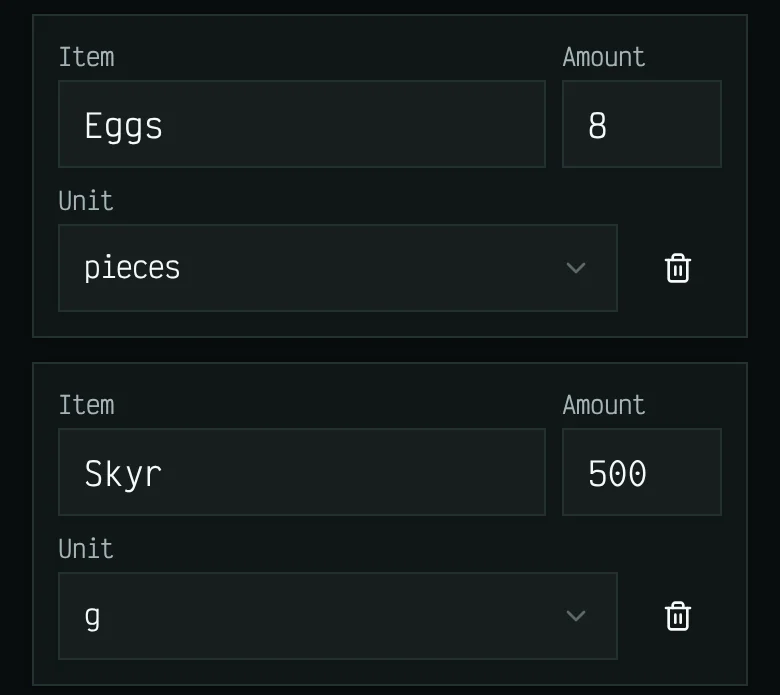
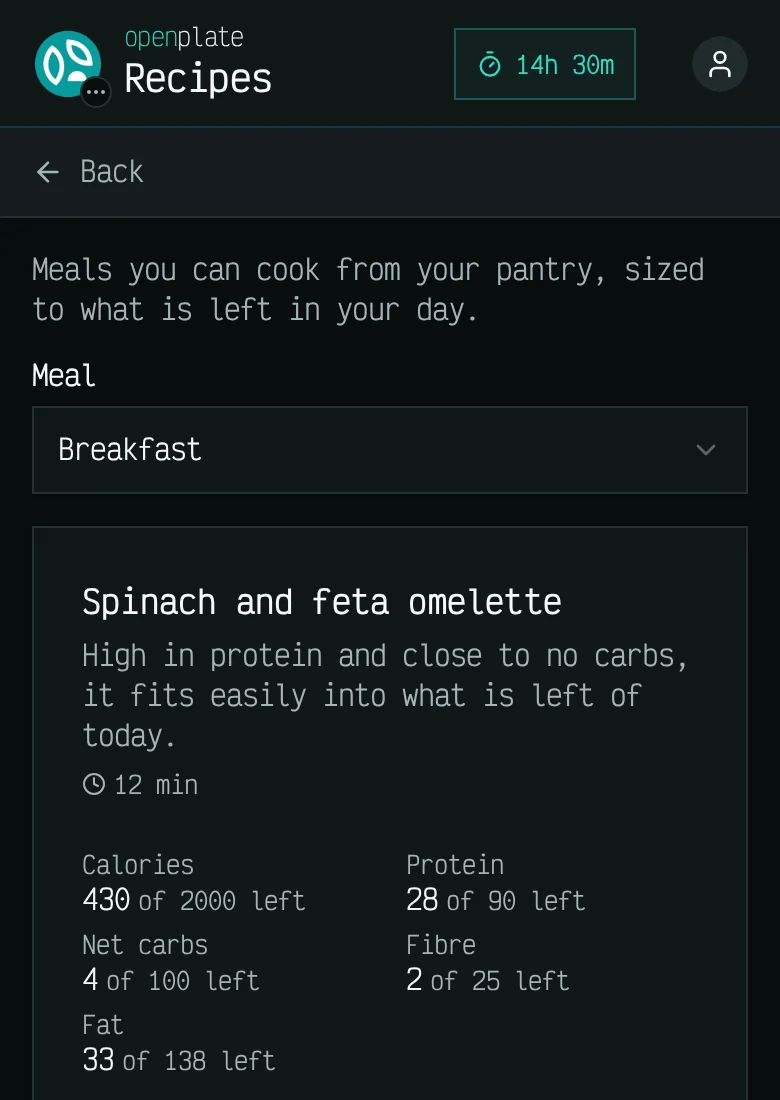
These screens show example data, not a real diary.
Which plans include it
- Free
- Not included
- Basic
- Included
- Plus
- Included
- Max
- Included
- Self-host
- Included
Limits
- Pantry photos and recipe suggestions consume AI scans just like plate photos.
- The AI can misread a photo or suggest a recipe that does not suit you. Check the list and the recipe before you cook.
- Logging a cooked recipe does not deduct inventory. You update the pantry manually.