
Manual logging
Log food without a photo: search for it, pick a usual meal, or enter your own.
What it is
Manual logging runs without AI scans. Search the food database or select an item from your history.
If an item is missing from the database, enter its label values per 100 g or per serving. openplate saves it to your custom foods.
How it works
- Open Add food. Search by name or select a recent item.
- For a meal you eat often, pick it from your usual meals.
- Enter the weight in grams, pick the meal type, and save.
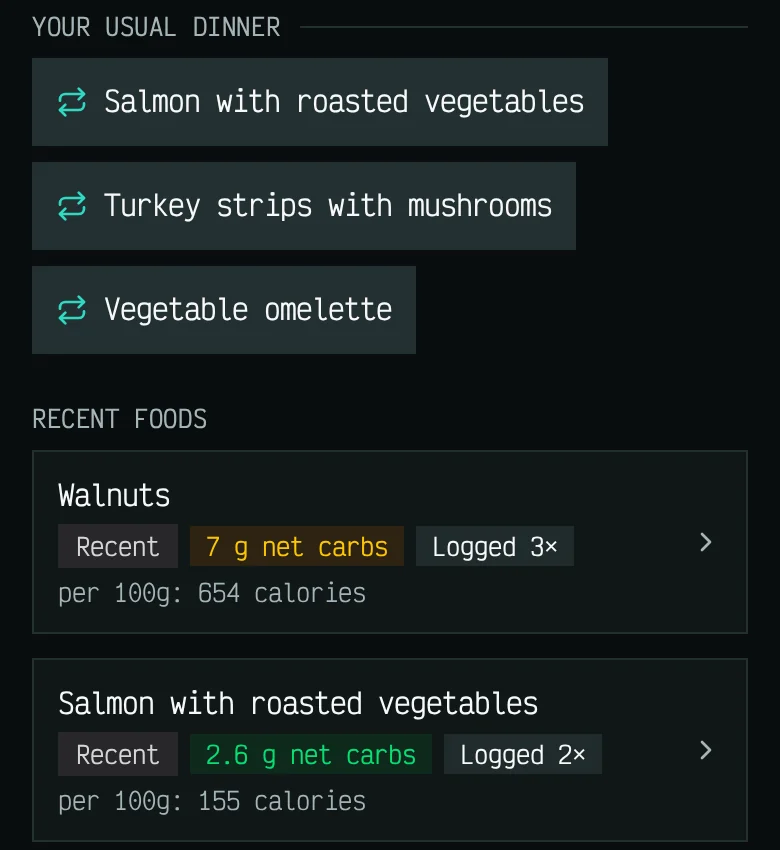
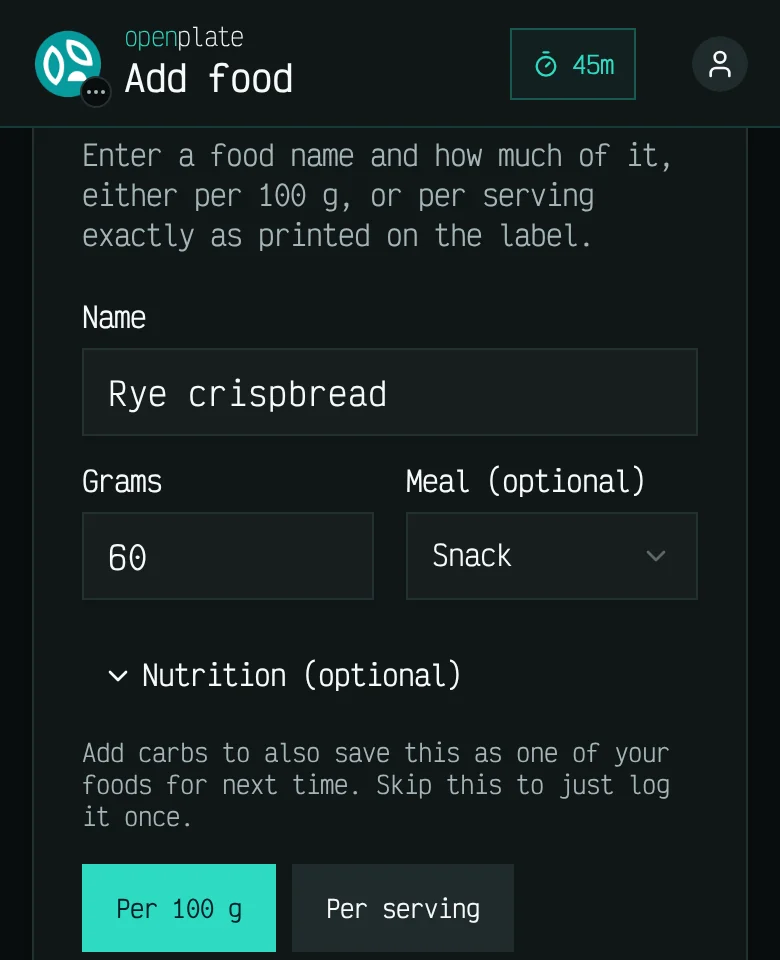
These screens show example data, not a real diary.
Which plans include it
- Free
- Included
- Basic
- Included
- Plus
- Included
- Max
- Included
- Self-host
- Included
Limits
- Database items can vary from product packaging. Use the printed label when accuracy matters.
- Custom foods depend entirely on the numbers you input.